Connecting TkFab® to QuickField™
Posted on October 30, 2025
-
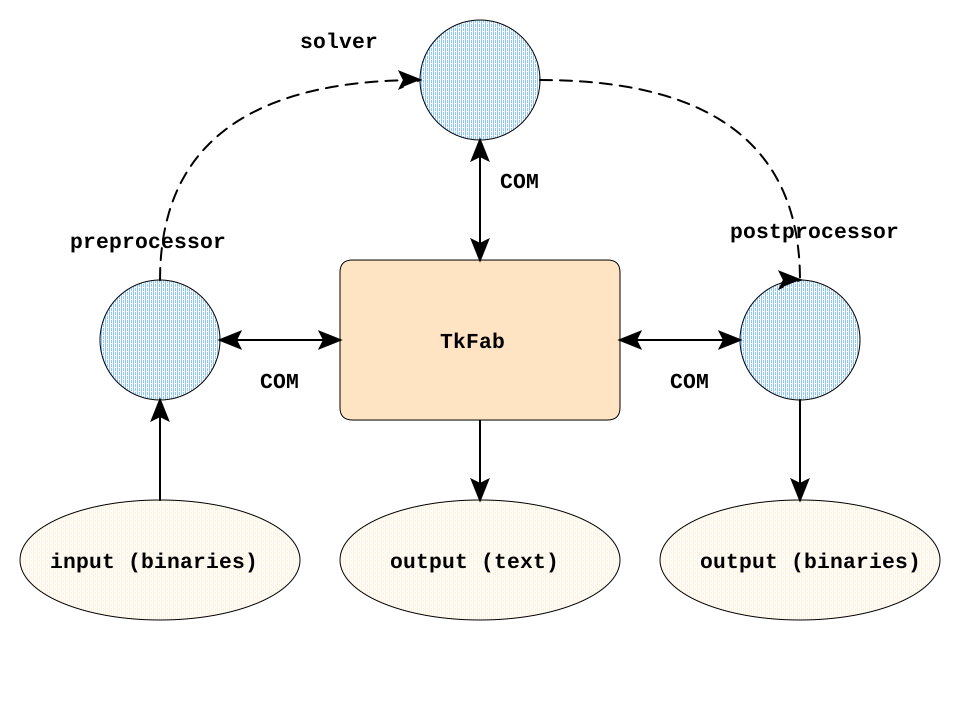
Using TkFab with preprocessor (input)
There is no text definition for data entry files in QuickField. They can only be modify using ActiveField interface or
to a larger extent with LabelMover. You can of course, change the values of data through the
interface, but only one data after the other. For the geometry, you need the geometry editor which
is easy to use and sufficient to explore new designs, but for example, changing the wire section of
a coil with many turns is tedious.
That is where ActiveField is useful to allow scripts to manipulate nearly all functionalities
and so, to create powerful functions :
- Edit, change values visible on labels
- Create, duplicate, select ... elements of the geometry.
- Define, modify : links, formulae, mesh characteristics …
In ActiveField, access is deployed using Objects, Methods and Properties. All these relationships are converted in namespaces and records and so, make easy to define modifications as simple lists. Below is an example of a functionality named "ActiveField frequency sweep" :
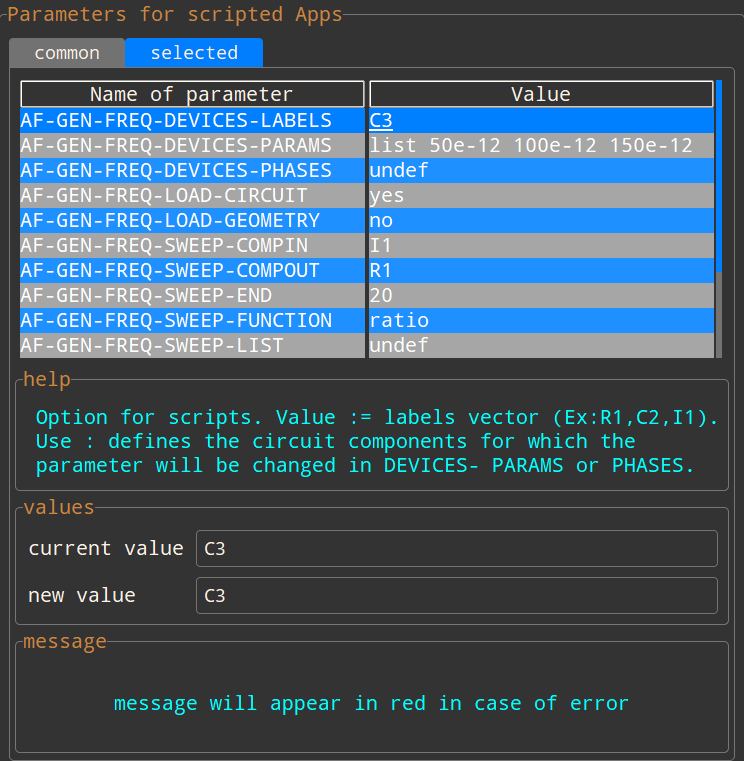
- TkFab functions applied to QuickField are macro-functions, so that no programming is necessary.
-
Using TkFab with solver ?
It cannot do more internally than ActiveField allows to do :
- Change static parameters of a design.
- Check simulation flow.
- Start and halt simulation.
But externally due to permitted asynchronous solving process, it can :
- Keep TkFab GUI alive during a long calculation
- Use events as a prefered solution.
- Drive different softwares.
- From Tcl 9.x tcl::process has made management of simultaneous running software even more easier.
Depending of the advanced functions of the external software, it can allow simulation with new parameters (parametric simulations), define limits for acceptation (design specifications), define a strategy to limit the number of simulations (design of experiments).
-
Using TkFab with postprocessor (output)
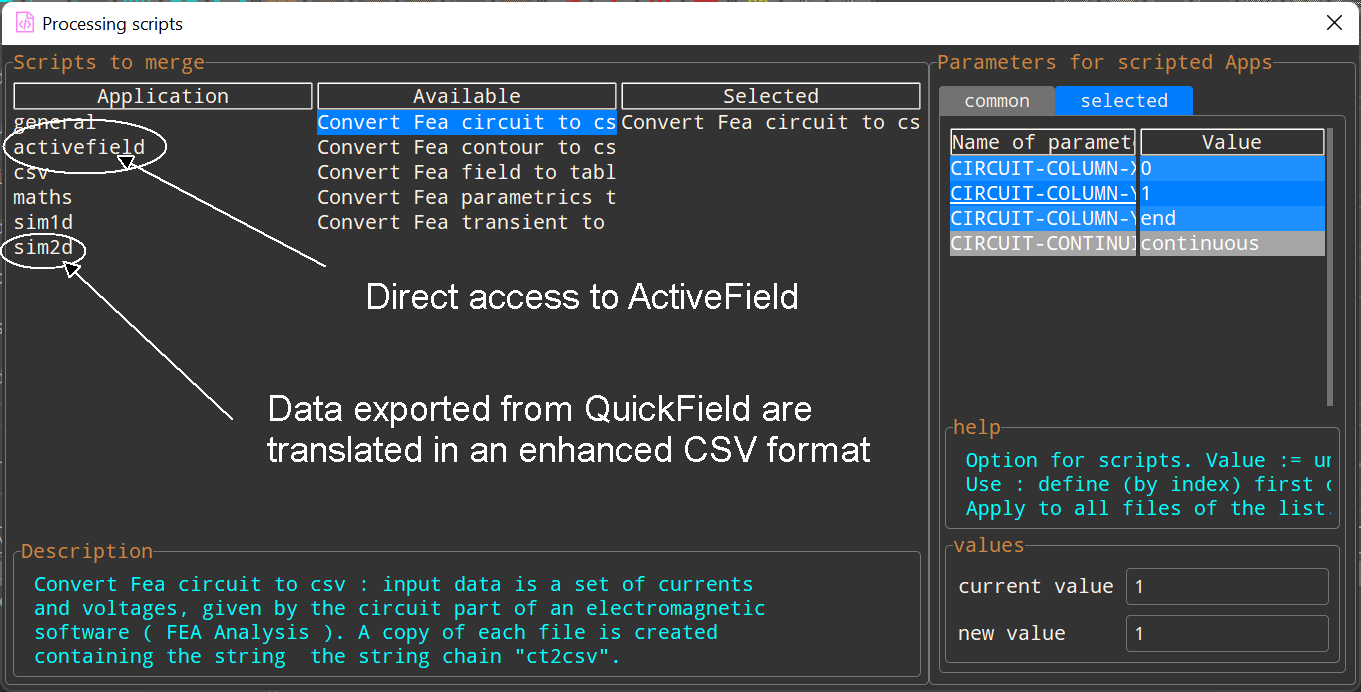
There are two ways to use results from QuickField :
- Use its export capabilities, and process ASCII data
- Use ActiveField, and process internal binaries.
The first case is more adapted when several results of the same type are to be processed. For instance after a parametric study on dozens of the same design but varying parameters : extract column of the same signal and include all the columns in the same file to compare their behaviour.
The second case is targeted to develop new algorithms or build macro-functionalities. If we want to compare the results of a parametrics study with known design, it is close from the case above, symplifing it. But to target a design with specific performances, a loop between results and parameters is mandatory. In that case and for complex designs, only the use of ActiveField allows a fast and accurate solution.